
Most conversations about automating a student call center start in the wrong place. They start with how many calls can be handled without a person. A better question is: Which calls should always reach a human? Get that line right and you can take the repetitive volume off your team while making the human moments better, not worse. Get it wrong and you build a wall between students and the people who are supposed to help them.
This is a practical guide to doing it the right way: what to automate first, what to protect, and how to keep a human in the loop at every point that matters. The goal is not a call center with fewer people. It is a call center where people spend their time on the calls that actually need them.
Student services teams are stretched thin, and the volume is lumpy. Registration windows, the start of every term, financial aid deadlines, and add or drop periods all create spikes that no fixed headcount can absorb. Students wait on hold, give up, and email instead, and the email queue backs up too. The result is a service experience that is worst exactly when students need it most. Automation, applied carefully, is how you flatten those spikes without hiring for the peak and cutting after it.
Start by deciding what a machine should never handle
Before you automate anything, draw the line. Some student calls are procedural and repetitive, and those are good candidates for automation. Others carry emotion, risk, or judgment, and those should stay with people. Defining that second category first is what keeps the human touch intact.
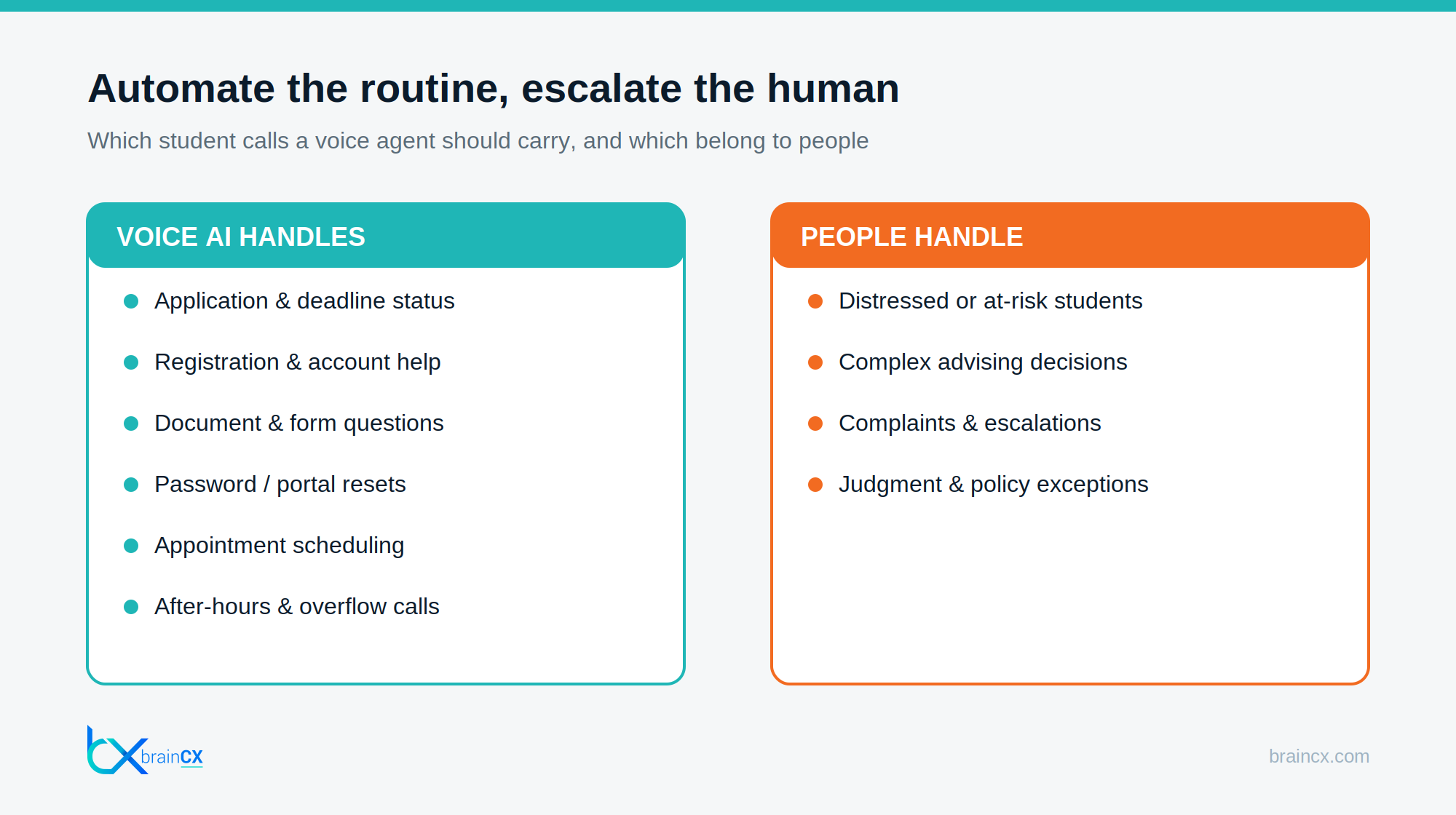
Safe to automate
- Status and lookups. Application status, registration holds, account balances, deadline reminders.
- Process questions. How to register, how to submit a form, how to reset a portal password, where to find a document.
- Scheduling. Booking advising appointments, orientation sessions, and callbacks.
- After-hours and overflow. The calls that arrive when the office is closed or the queue is already full.
Keep with people
- Distress and risk. Any call where a student sounds overwhelmed, in crisis, or at risk goes straight to a person.
- Complex advising. Decisions that depend on a student’s specific situation, rather than an answer that can simply be looked up.
- Complaints and escalations. A student who is frustrated enough to complain should be able to reach a person quickly.
- Judgment and exceptions. Policy exceptions, appeals, and anything that requires discretion.
The dividing principle is simple: if the answer lives in a system or a policy document, a voice agent can handle many of those questions. If the answer requires understanding the student’s situation, it needs a human being. A well-built deployment is designed around that line, not just around reducing call volume.
The five-step path from audit to live
Automating a call center is a sequenced project, not a switch you flip. This is the order that works, and it keeps humans in control at every stage.
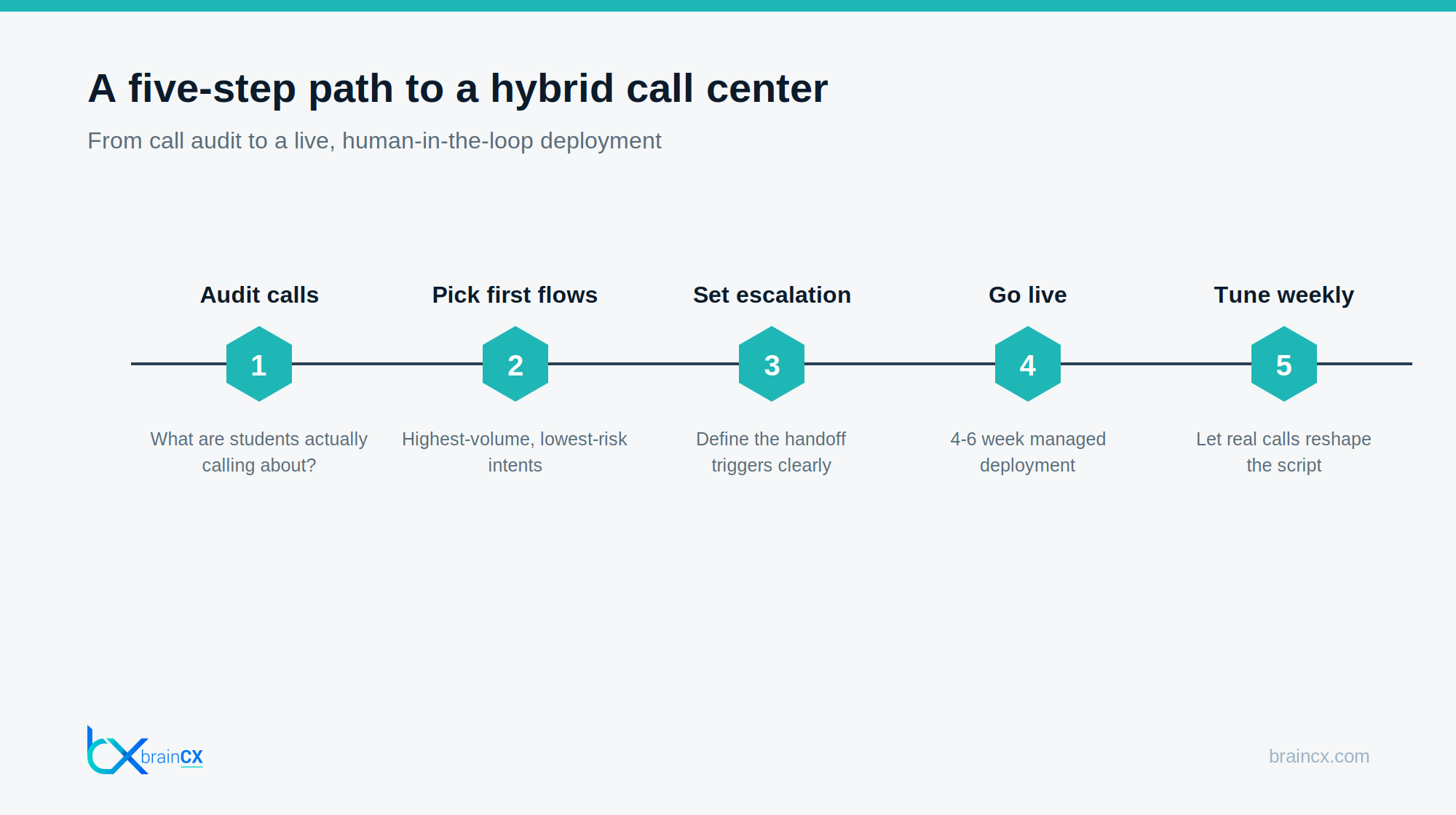
1. Audit what students actually call about
Pull a few weeks of call data and categorize it. Almost every student call center finds that a small number of intents drive the majority of volume, and that most of those intents are procedural. That audit tells you exactly where the automation will pay off and where the human load really sits.
2. Pick the first flows carefully
Start with the highest-volume, lowest-risk intents. Status checks, registration help, and document questions are ideal first candidates. Leave anything sensitive for later, or for never. Early wins on safe, high-volume flows build trust with your team and your students.
3. Set the escalation rules explicitly
Define the triggers that send a call to a human: distress signals, repeated confusion, an explicit request for a person, or any intent outside the automated set. The warm-transfer handoff in the BrainCX platform carries the full conversation to the human agent so the student never repeats themselves. This step is where the human touch is either preserved or lost, so it deserves the most care.
4. Go live with a managed deployment
A managed rollout means the calling flows, the escalation logic, and the knowledge base are built and tuned for you, typically in four to six weeks. That is the difference between a managed voice AI service and a self-serve platform your team would have to configure and maintain on top of their day jobs.
5. Tune every week from real calls
Once live, review what students actually say and adjust. Real conversations reveal intents you did not anticipate and phrasing your script did not cover. Weekly tuning is what turns a good launch into a system that keeps getting better.
A common mistake: automating for deflection instead of resolution
The fastest way to lose the human touch is to measure the wrong thing. If the only metric is deflection, the system gets rewarded for keeping students away from people, even when a person is exactly what they need. That produces the maze every one of us has been trapped in: a bot that will do anything except connect you to someone who can help. Students learn to distrust it, and the ones with real problems get the worst experience.
Measure resolution and escalation quality instead. A good deployment is proud of a fast, clean handoff, not embarrassed by it. Track how quickly a student who needs a person reaches one, how often the handoff carries full context, and how satisfied students are after an escalated call. Those metrics keep the system honest and keep the human touch central rather than incidental.
How the human touch actually improves
Here is the part that surprises skeptics. Done right, automation makes the human side of your call center better, not colder. When the routine volume is handled, three things happen.
- Wait times drop for everyone. The student who needs a person gets one faster, because the person is not buried in password resets.
- Counselors do higher-value work. Your staff spend their day on advising and problem-solving, the work they were hired for and are good at.
- Every human call starts with context. Because the agent captures the reason for the call before escalating, the counselor picks up already knowing the situation.
This is the core of the BrainCX position, and it is worth stating plainly: the goal is to give your agents superpowers, not to replace them. The domain tuning that makes the automated calls accurate is described in the BrainCX Knowledge Fusion product, which understands student services terminology rather than guessing at it.
Keeping students safe and served in any language
Two things make a student call center trustworthy: it never strands a student, and it serves every student in the language they are comfortable in. A voice agent that supports 40-plus languages means a student who prefers Spanish or Mandarin gets the same fast, accurate help as anyone else, and the voice AI for higher education admissions and enrollment approach carries that standard across the whole student lifecycle, not just admissions.
Where this connects to the rest of your funnel
A student call center does not operate in isolation. The same infrastructure that answers a registration question in October can run summer melt follow-up between deposit and day one in July and absorb FAFSA-season financial aid volume in the winter. One deployment, tuned across the calendar, rather than a separate scramble for every peak.
Frequently asked questions
1. Can you automate a student call center without hurting service quality?
Yes, if you automate the right calls. Procedural, repeatable calls (status, registration, documents, scheduling) are safe to automate. Calls involving distress, complex advising, complaints, or judgment stay with people. Drawing that line is what protects service quality.
2. Will automating calls mean cutting staff?
That is not the goal. The point is redeployment: routine volume goes to the voice agent so staff spend their time on advising and the calls that need a human. Wait times drop and the human interactions get better, not fewer.
3. How does a voice agent know when to hand a call to a person?
Through explicit escalation rules: distress signals, repeated confusion, an explicit request for a human, or any intent outside the automated set. The handoff carries the full conversation so the student never has to repeat themselves.
4. How long does it take to deploy?
A managed deployment typically goes live in four to six weeks, with simpler environments faster. The timeline covers the call audit, first flows, escalation rules, and go-live.
5. Can it serve students in other languages?
Yes. BrainCX supports 40-plus languages, so students get the same fast, accurate help in the language they are most comfortable in.
Automate the volume, protect the conversation
You can take the repetitive load off your team and make the human moments better at the same time. Talk to the BrainCX solutions team about a student call center deployment built around your escalation rules, or see how the platform serves trust-dependent industries like higher education.